
Live wallpapers for Android & iPhone
Wallfold
Quiet art that notices you.
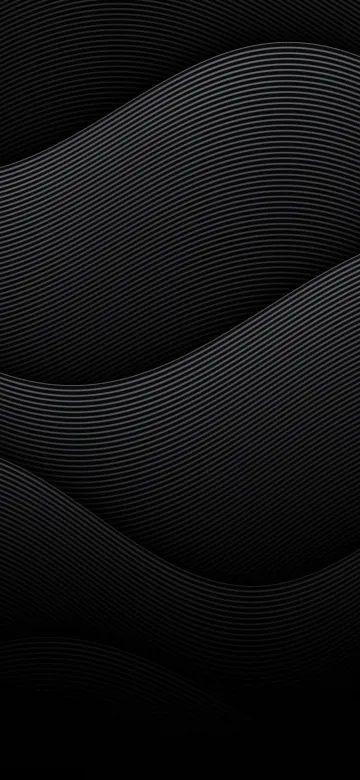
Strata
Fine lines in slow layers, sinking into the dark.
Over sixty pieces of slow, dark art, built in layers at real depths, so they lean apart when you tilt your phone. Pick one, tap Set, done. No paywall, no ugly.


Free · No ads · Nothing collected · Android 9+ · iOS 15+
The collection
Over sixty pieces, each in two colourways or more.
Fine lines, soft gradients, glass, halftones and folded light, and a few toys. Dark first, so they sit quietly behind your icons. Tap one to see it move.
The ones with the robot are on Android only, for now. The rest are in the iPhone app too.
How it moves
Made like prints, not screensavers.
Layers at real depths
Every piece is up to six layers, each at its own depth behind the glass. Tilt your phone and the far ones follow your eye while the near ones slide against it. Swipe between home screens and they drift.
Every piece answers a tap
A ripple, a press, a swell, a swirl, a glow, or the light swinging toward your finger. And some are made to be tapped: tiles that flip over in a wave from your finger, bubble wrap that pops, colour poured into dark water.
Drawn live, never a video
Each frame is painted by your phone’s graphics chip from a few kilobytes of numbers, so it’s sharp at any size and loops forever without a seam.
Easy on the battery
It only draws while you can see it, eases off when nothing is moving, and steps down further in Battery Saver or when your phone runs warm.
Nothing to declare
No account, no ads, no tracking, and no internet access at all. The tilt is read on your phone and never leaves it. The privacy policy is short.
And on iPhone?
A Live Photo for your Lock Screen.
iPhones don’t allow live wallpapers, so Wallfold for iPhone does the next best thing: it saves a piece as a Live Photo, the layers leaning apart and settling as you wake your phone, or as a sharp still at your screen’s exact size. Free on the App Store.
Questions
The fine print, in large type.
Is Wallfold free?
Yes. Free on Google Play and the App Store, with no ads, no paywall and no account.
Which phones does it work on?
Android 9 or newer, where the pieces are live wallpapers, and iPhones on iOS 15 or newer, where they’re Live Photos and stills for the Lock Screen.
Can I set a live wallpaper on an iPhone?
Not a moving one: iPhones don’t allow live wallpapers from apps. So Wallfold for iPhone saves a piece as a Live Photo, the layers leaning apart and settling as you wake your phone, or as a sharp still at your screen’s exact size.
Will it drain my battery?
It’s built not to. It only draws while you can see it, eases off when nothing is moving, and steps down further in Battery Saver or when your phone runs warm.
How many wallpapers are there?
Over sixty, each in two colourways or more: fine lines, soft gradients, glass, halftones, folded light and a few toys. The ones with the robot are on Android only, for now.
What does it collect?
Nothing. No account, no ads, no tracking and no internet access at all. On Android it asks for no permissions, and on iPhone it only asks to add to your Photos, to save what it makes. Here’s the privacy policy.
Quiet art that notices you.